Services
From makeovers to personalized skincare consultations
From makeovers to personalized skincare consultations

Get inspired, play with products & learn new skills

Exciting launches, parties & more

Explore what's hot in your store


Ask questions, join challenges, and get recommendations from people like you

Discover topics tailored to your beauty interests
Add your photos and get inspired by fellow beauty lovers
 Sign In

View activity, savings and benefits
Redeem items, samples and more
View and track online orders
Reorder it from in-store and online purchases
View saved products
Recommendations from your store visits
Manage your services, classes and events
Complete your beauty traits for personalized recommendations
Payments, contact info, addresses and password
 Sign In
View activity, savings and benefits
Redeem items, samples and more
View and track online orders
Reorder it from in-store and online purchases
View saved products
Recommendations from your store visits
Manage your services, classes and events
Complete your beauty traits for personalized recommendations
Payments, contact info, addresses and password
Ask questions, join challenges, and get recommendations from people like you
Discover topics tailored to your beauty interests
Add your photos and get inspired by fellow beauty lovers
From makeovers to personalized skincare consultations
Get inspired, play with products & learn new skills
Exciting launches, parties & more
Explore what's hot in your store
Hello beautiful Beauty Insider Community members!
We’re starting this thread for you guys to report any issues and weird things that you are seeing or ask any questions. We have a number of issues logged that we are already working on a fix for, so this is a work in process.
Some things to note as you are reporting issues:
Some tips:
It’s good to see you all and thanks for being patient!
Whenever reporting a bug we need as much info as possible or our tech team cannot reproduce the issue and verify it's actually occurring. If they can't see the issue they cannot fix it. You cannot overshare details, test on too many devices or share too many screenshots... The more detail the better!
@WinglessOne - I see the Start a Conversation button at the top, but I don't see the Suppot button or link that you mention. (I'm not one of the people leaving the CS posts.) I was just looking to see how prominent the link is and if it says Support or Customer Support. I suspect a link labeled "support" means people think of it in terms of technical support, not customer service. But if they don't even see a link like me, then that's an even bigger reason for not using it.
I agree that a link to customer service should be added if not already available. If one is available, the technical team needs to figure out why it's not showing.
I'm using a Samsung Galaxy G35 Android phone and a Samsung Tab A Android tablet.
@Titian06 Now see, I forgot there’s another “Start a conversation” link, even though it’s part of BIC’s top nav. 😅 Assuming this is the one you’re seeing:

The one I was talking about is the second link:

And now I see why some folks might miss that “Support” link: they probably launch threads from the top nav without scrolling down the page first. Might help to add a “Customer support” button to the top nav (first screenshot) beside the thread button—though I can understand why that might be a challenge, if Sephora wants to keep certain buttons in that area visible on a phone (less space to work with in that scenario). Buuut figuring out the solution(s) is not my job 😅—I mean, no one’s paying me to do that and I know the going rate for web/UX/usability design in my geo market—so I won’t try to solve it here.
EDIT: this reminds me… once upon a time, Customer Support was one of the groups listed on the Groups landing page. Kinda wish it was still there.
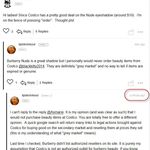
@WinglessOne - Sorry for the blurry pic! Here's what I see on my phone when I scroll down. I honestly thought if I clicked on the balloon with question mark, it would provide more info about the Ambassador Curated Posts link! I didn't know it was a link to Support. I suspect many others don't either. Maybe there needs to be a spacer bar between the text and the two icons like there is between the other text.
My tablet shows the text Support spelled out. But the icon is still showing before the text. Or how I understood it, after the Ambassador... without a spacer bar. I also notice on my tablet, Start a Conversation and Support are in a smaller font than My Posts and Ambassador... A smaller font would allow room for adding a spacer bar.
Hi @WinglessOne & @Titian06 thank you both for your very thoughtful feedback! We totally see where you're coming from and will take these ideas into account for future updates. Although this doesn't always happen, we encourage Community members to select the "Customer Support" group from the dropdown to self-classify any CS related post(s) so that it appears in the proper group and not in the main feed. Additionally, our mods do their best to move posts to the CS group if they are posted elsewhere, but as you can imagine, some slip under the radar or are posted faster than our mods can move them. We love the idea of our trusted Community members being able to flag a post as a CS topic 🤩💖 Thanks again for sharing!
Hi @TeamBIC I just wrote a very long post for a challenge and the whole screen just glitched and brought me back to the home page. It may just be my internet but wanted to report in case this happens to anyone.
thank you so much 🙂
Oh no @peculiarzmakeup, so sorry this happened! Were you able to post your challenge update, or are you still having issues with posting?
@TeamBIC it’s working now thank you so much 🙂
Hi @TeamBIC I don't know if anyone else is having this issue but I've been noticing lately I'm not getting all my @ notifications. I'll get most of them but a few here and there don't come into my BIC inbox. I have a Google Android device. It's not a huge issue but I thought I'd mention it incase it's happening to anyone else.
Thank you 🩷
Hi @CynthieLu, thanks for reporting this! Agreed this sounds like a frustrating issue, are you still experiencing this?
Thank you for the reply. It's hard to say, when I don't get my @ tags i don't always notice. But, I haven't noticed it lately. Maybe it's fixed? 🙏🙏
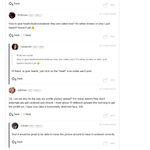
Is anyone having issues with the main feed not listing/sorting as expected? Usually I have it sorted by most recent but that’s not working. I can see my o posts under my posts. This has been happening since at least yesterday. I’m on mobile browser, Safari. @TeamBIC
This issue is driving me absolutely bonkers and I’m not sure why but it’s making me crazy that the posts are sorting the way I’m
used to! Are you still seeing this issue? @Titian06 Anyone else? Is it not so bothersome to everyone else, lol ?
@sister13 @Titian06 @TeamBIC Add me to the list of the bothered folks. 😂 I started noticing it on Wednesday on both my iPhone (iOS 18.1.1 + Chrome) and iPad (iPadOS 17.6.1 + Chrome and Safari). And I’m talking specifically about the website, since I never use the Sephora app for BIC.
On Wed. 1/15 I made my first haul post of the year in the Jump Start Your New Year-January Hauls 2025 thread. When I went back to the BIC homepage 1-2 minutes afterward, that thread wasn’t on the first (or second, or third) page of the feed—even though I had just posted in it. I commented on 2 or 3 other threads that day and, IIRC, only one of ‘em got auto-bumped to the top of the main feed. On Friday and yesterday, a couple threads I replied to did get bumped as expected. I can go through My Posts and list those threads, if that’ll help the dev folks.
Also, The Bothered would be a great band name.
UPDATE: this BIC Feedback thread did show up on the main feed’s first page right after I posted this comment.
UPDATE 2: I just commented in the January hauls thread again and immediately went to the BIC homepage. That thread didn’t show up on the first page of the feed, but it did on the second page, even though that thread was updated (by my comment) more recently than other threads on the first page.
Thanks for adding your voice to ours, @WinglessOne ! @sister13
Agree, The Bothered would be a great band name. 🎵🎤🎸
Hi @sister13, @Titian06 & @WinglessOne, sorry that this slipped under our radar! We're having a hard time reproducing this on our own mobile browsers. Do you mind sharing a screenshot of the out of order Forum experience you're seeing?
@TeamBIC - As of today (I haven't been on for a while), the threads are posting correctly...of course! When I posted replies, those threads were posting at the top of the main page, which they haven't been doing most of the month. If the issue happens again, I will be sure to post a pic of the problem.