Services
From makeovers to personalized skincare consultations
From makeovers to personalized skincare consultations

Get inspired, play with products & learn new skills

Exciting launches, parties & more

Explore what's hot in your store


Ask questions, join challenges, and get recommendations from people like you

Discover topics tailored to your beauty interests
Add your photos and get inspired by fellow beauty lovers
 Sign In

View activity, savings and benefits
Redeem items, samples and more
View and track online orders
Reorder it from in-store and online purchases
View saved products
Recommendations from your store visits
Manage your services, classes and events
Complete your beauty traits for personalized recommendations
Payments, contact info, addresses and password
 Sign In
View activity, savings and benefits
Redeem items, samples and more
View and track online orders
Reorder it from in-store and online purchases
View saved products
Recommendations from your store visits
Manage your services, classes and events
Complete your beauty traits for personalized recommendations
Payments, contact info, addresses and password
Ask questions, join challenges, and get recommendations from people like you
Discover topics tailored to your beauty interests
Add your photos and get inspired by fellow beauty lovers
From makeovers to personalized skincare consultations
Get inspired, play with products & learn new skills
Exciting launches, parties & more
Explore what's hot in your store
Hello beautiful Beauty Insider Community members!
We’re starting this thread for you guys to report any issues and weird things that you are seeing or ask any questions. We have a number of issues logged that we are already working on a fix for, so this is a work in process.
Some things to note as you are reporting issues:
Some tips:
It’s good to see you all and thanks for being patient!
Whenever reporting a bug we need as much info as possible or our tech team cannot reproduce the issue and verify it's actually occurring. If they can't see the issue they cannot fix it. You cannot overshare details, test on too many devices or share too many screenshots... The more detail the better!
@GeorginaBT @haleyvvvv it is working for me again now too - thanks!
@ShortErica @SportyGirly125 @haleyvvvv Thanks all for reporting this! I've flagged the inability to @ mention other members on Android web browsers as a bug to our vendor partners - will keep you updated on a fix. 🙂
@GeorginaBT I'm still having this issue, but it is also the case when tagging products with a #. I'm on Android mobile chrome browser. Thanks!!!
@TeamBIC I tested it again this morning and I am still having the issue on my phone but tagging works fine on my laptop.
@TeamBIC please see @ShortErica message about having problems tagging people on Android. I use an iPhone and don’t have issues.
Thanks so much for the tag @SportyGirly125!
Omg, @ShortErica Thought it was just me and some weird update to my phone keyboard. This is also happening with me, using the mobile site on Chrome on an Android.
Glad it isn't just me @haleyvvvv but boo! Hopefully it's an easy fix. I just noticed it today.
Is this thread the only place to put feedback about the way both the forum and website function? Just wondering because I have a question about the way the website used to work.
I used to be able to sort by brand within a brand. This was helpful because it alphabetized everything within a brand's offerings. I was able to do things like, for example, group together all the Black Tea items by Fresh, or all the Vinosource items by Caudalie. Very helpful when a brand has many pages of items for sale. Now, I can only sort by brand within a category such as Moisturizers or Serums. Is there maybe some new way to get the search results I am after?
There used to be a separate group for customer service and I don't see it anymore. Did it move somewhere or disappear or something? If anyone knows, thank you in advance.
@gingerleigh You can leave your feedback here.
here is the link to the customer support group
https://community.sephora.com/t5/Customer-Support/bd-p/Customer_Support


Does anyone have uploading issues like me. I've tried to upload my hauls from my phone multiple times but I kept getting error messages(the messages I kept getting were correct the html and no permission) so I switched over to my macbook and it's the same messages...
@Anonymous I haven't had problems uploading photos from my MacBook Pro. I just posted in the August hauls thread to test uploading directly rom Photos on my laptop, and it still works fine for me. Are you trying to upload photos from the Photos app? Or are you uploading photos saved outside Photos on your laptop and/or phone?
I haven't tried uploading from my iPhone, though. Might try that sometime today. I also want to try uploading from my iPad.
@Anonymous I crop my photos in order for them to go through or you have to minimize the size
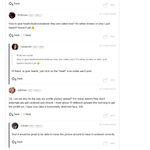
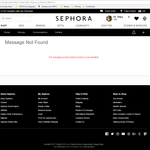
I’ve been trying to upload my pics on the hauls thread but this message keeps showing up. I tried to minimize the pic size and even crop the pics as @SportyGirly125 mentioned but it still won’t let me upload😞
Sorry you're experiencing this @Anonymous! Do you mind copy and pasting the message you are seeing? I don't see it in your comment - know that you're having troubles uploading, in case you were trying to show a screenshot.
Hope to get this resolved for you asap!
I get this message fairly often, @Anonymous. After you get it, do you try hitting post again? Mine usually post on the second try.