Services
From makeovers to personalized skincare consultations
From makeovers to personalized skincare consultations

Get inspired, play with products & learn new skills

Exciting launches, parties & more

Explore what's hot in your store


Ask questions, join challenges, and get recommendations from people like you

Discover topics tailored to your beauty interests

Add your photos and get inspired by fellow beauty lovers
 Sign In

View activity, savings and benefits
Redeem items, samples and more
View and track online orders
Reorder it from in-store and online purchases
View saved products
Recommendations from your store visits
Manage your services, classes and events
Complete your beauty traits for personalized recommendations
Payments, contact info, addresses and password
 Sign In
View activity, savings and benefits
Redeem items, samples and more
View and track online orders
Reorder it from in-store and online purchases
View saved products
Recommendations from your store visits
Manage your services, classes and events
Complete your beauty traits for personalized recommendations
Payments, contact info, addresses and password
Ask questions, join challenges, and get recommendations from people like you
Discover topics tailored to your beauty interests
Add your photos and get inspired by fellow beauty lovers
From makeovers to personalized skincare consultations
Get inspired, play with products & learn new skills
Exciting launches, parties & more
Explore what's hot in your store
Hello beautiful Beauty Insider Community members!
We’re starting this thread for you guys to report any issues and weird things that you are seeing or ask any questions. We have a number of issues logged that we are already working on a fix for, so this is a work in process.
Some things to note as you are reporting issues:
Some tips:
It’s good to see you all and thanks for being patient!
Whenever reporting a bug we need as much info as possible or our tech team cannot reproduce the issue and verify it's actually occurring. If they can't see the issue they cannot fix it. You cannot overshare details, test on too many devices or share too many screenshots... The more detail the better!
@ohheyitscindyk yay!!! I was helping you post pics in the promo threads
@SportyGirly125 Thank you! I still don't get notifications for threads I'm subscribed to 😞
@ohheyitscindyk Thank you very much for calling this out - currently looking into a fix with our vendor partners! Heads up that we might reach out to get more information / troubleshoot the issue with you if that's alright. 😊
@ohheyitscindyk Were you trying to upload images for thread posts? (Assuming that's what you were doing, not uploading images to the Gallery.) Oh boy... I wondered if there was a photo limit.
@KatieBT @TeamBIC If there really is supposed to be a limit on photos we can upload to include in our posts (as opposed to Gallery images), then...
Thanks!
Once upon a time, in a galaxy far far away, in the land that time forgot...
Back when BIC was BT (Beauty Talk), we had an album. We could reach all of our pictures in one place, and we could delete them quickly, or hide them easily with public and private folders. It wasn't super fancy with loads of functionality; they were in chronological order and you had to know about when you uploaded something if you were looking for something in particular, but they were *easily accessible*, all in one spot. We lost that when BT became BIC, and there were numerous requests to bring it back, but they apparently fell on deaf ears.
In my mind, it feels like Sephora went for "all of your pictures belong to us, forever and ever, amen" and doesn't really care to give us control once we've uploaded them. Some folks stopped posting altogether over it (and to be fair, other changes in the board, but I don't think it's unfair to say that the loss of the gallery contributed for some), and some folks (myself included), stopped for a while, but the lure of chat buddies drew us back more than the loss of control.
Sadly, I find it easier to just take a new pic whenever possible instead of trying to hunt for an old one. A gallery with halfway decent usability (or even just any gallery) would be a welcomed upgrade!
@WinglessOne Yup, for thread posts. I had no idea there's even a limit 😄
@ohheyitscindyk @WinglessOne, my recollection is that @Tamara76 had this issue a while back and received a similar message about reaching the limit. She reached out to @TeamBIC and the mods to help and they were able to get it resolved but I think it took some time. Hopefully it can be addressed quickly @ohheyitscindyk. 🤞🏼
@TeamBIC @GeorginaBT, is there a way (either currently or perhaps in a future update?) where we might be able to know how many photos we’ve already uploaded so that we have an idea when we are close to reaching the limit?
Hi @KatieBT @GeorginaBT!
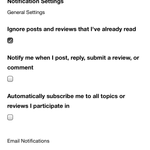
I'm still having some trouble with notifications. I'm not receiving all the notifications even when I'm tagged in the posts. I will sometimes find out that I was tagged in a post while scrolling through the feed instead of emails or the "bell" icon. With email notifications, I will receive some notifications an hour or two after I'm actually tagged and by then, I would have seen them already.
Thank you!
Thanks for this callout @RAWRitsRED - I actually just got a notification about you tagging me in this post! So in addition to notifications not coming up in your notification feed, there also looks to be a delay. This turns out to be a known issue with our vendor partners, so I've given them this extra feedback to help them work out a resolution asap.
Hi all, I remembered a request for some type of feedback regarding saving drafts of posts, right? So this morning I got the dreaded "You've exceeded the number of private messages" text and was like "No, I don't want to retype this later!" which made me think, can we save drafts of them? It would be even cooler to have a trigger that if you check a box or something, the draft would then automatically send when you allowed to send private messages again. Just thinking of ideas. 🤷
@ShortErica I love this idea! Both ideas, actually: saving draft messages and an auto-send option. I'm trying to remember if Lithium has either capability built in (assuming that's still the app running BIC). If not, it could probably be customized by dev. After all, the global IT/dev motto is "everything's possible—with enough funding." 😄
@ShortErica I have learned my lesson too many times when typing lengthy responses and for it to not send or disappear. I copy and paste my response in notes on my phone just in case it doesn’t send.
@SportyGirly125 I do this too but sometimes I forget and lose a giant post!
Oh yes @SportyGirly125! This was just a short message but had info (tracking number) that I didn't want to search for later when sending would work. I made a draft in my gmail but thought it might be convenient to have that functionality build into BIC. And good news, I was just able to get it to send! That's a smart move to get into the habit of it though. If I do a super long post I generally copy it somewhere but not always.
Hey BIC! You may notice that the desktop and mobile web versions of the Beauty Insider Community got a makeover this morning Tuesday, 8/4/20. 😎 You’ll see that our Community Home (community.sephora.com) is now a true home base for Community: up at the top you can navigate between Community Home, your profile, groups, and the Gallery. You’ll also be able to begin a new thread by clicking “Start a Conversation” or post in the Gallery by clicking “Add a Photo” right from the top navigation bar! Like before, your Community notifications and private messages are accessible from here as well. Under the Community search bar, you will be able to see when fellow BICers are online with you.
If you’re new around here (aka, not logged in), you will see a grey bar that will help you get familiar with Community by leading you to our 3 steps to getting started, Community FAQs, and our Customer Support page. You see it in the screen shot we’re sharing here.
You will also find trending groups and featured Gallery photos at the top of Community Home for easy access! The featured Gallery photos are no longer in the middle of the main feeds of threads. Below the trending groups and featured photos widgets, you’ll see all the threads you know and love.
We’re so excited about this beautiful update to the BIC! As with most releases, we have noticed some new bugs that we are taking note of and sharing with our vendor partners. If you encounter any issues, please feel free to share them with us here. We love and thank you for your feedback!
Wow, just logged in after not being on for a few days, and I have to say what a huge difference it is. Not sure how I feel about it yet, since I still need to explore a bit more.
@TeamBIC Oh, I wondered if/when BIC would get a redesign similar to what I noticed happening at sephora.com a week or so ago! I haven't looked at everything via small/xs viewport (smartphone) or tablet yet, but here's what I can say via my laptop (Google Chrome on a 16" MacBook Pro running Catalina.)
BIC feedback
Loving this:
Suggest improvements:
Sephora.com feedback
I haven't picked through the site enough today, but for now: major kudos on the new main nav bar (the black strip of links near top of each page)! I assume these links were at least partly based on visitor stats like items most clicked on or searched for? However they came about, I'm glad to see them focused on the task of shopping, with BIC getting its own persistent nav menu. And I appreciate the categories inside each link category of the main nav: hopefully they'll make it easier for shoppers to find what they need, with fewer clicks. Hooray for easy access to lots of stuff that used be buried in the old "Shop" menu!
I'll have to look at everything via phone and tablet later. But for now, I'm mostly liking the desktop updates!
Thanks for the workaround about the bullets @WinglessOne. I too used to bust into the html code to format bullets inside of spoilers and was at a loss of what to do with that feature gone. But yes, I'd prefer it just be allowable in the first place!
@WinglessOne THANK YOU for this incredibly detailed feedback! We've shared it with our vendor partners. Really appreciate your expertise. ❤️