Services
From makeovers to personalized skincare consultations
From makeovers to personalized skincare consultations

Get inspired, play with products & learn new skills

Exciting launches, parties & more

Explore what's hot in your store


Ask questions, join challenges, and get recommendations from people like you

Discover topics tailored to your beauty interests

Add your photos and get inspired by fellow beauty lovers
 Sign In

View activity, savings and benefits
Redeem items, samples and more
View and track online orders
Reorder it from in-store and online purchases
View saved products
Recommendations from your store visits
Manage your services, classes and events
Complete your beauty traits for personalized recommendations
Payments, contact info, addresses and password
 Sign In
View activity, savings and benefits
Redeem items, samples and more
View and track online orders
Reorder it from in-store and online purchases
View saved products
Recommendations from your store visits
Manage your services, classes and events
Complete your beauty traits for personalized recommendations
Payments, contact info, addresses and password
Ask questions, join challenges, and get recommendations from people like you
Discover topics tailored to your beauty interests
Add your photos and get inspired by fellow beauty lovers
From makeovers to personalized skincare consultations
Get inspired, play with products & learn new skills
Exciting launches, parties & more
Explore what's hot in your store
Hey BeautyTalkers,
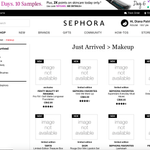
We want to make sure you know that we are working to fix the site issues affecting Sephora.com for the past couple of weeks. Some of the fixes we are working to restore include 404 error messages and "All Brands" page access. While we work on these fixes, please try clearing your cache/cookies and updating your browsers for a better experience.
We're starting to see improvements and are hoping everything will be working properly in a timely manner. If you see any issues please report them below.
Thanks!
Katie
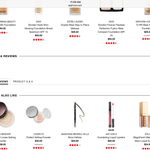
EDIT: Please include screenshots of the issues you're seeing if possible! It helps us out a lot 🙂
Thanks for the fix! Works! However, Sephora needs to fix this...ridiculous to have to do this for each page, every time I get on the website....
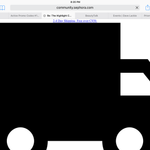
help how do i fix this?! I can't even close out of the box
Yes! Was just coming to post, since it’s been persisting! Has definitely kept me from purchasing since I can’t see info on new products. I’m on safari on iPad.
I am this issue for a long time now .
@michelleshops I’m having this issue as well and it’s very frustrating! In addition to clicking on the actual image to make that white box disappear, I’ve also been having luck by hitting the series of lines on the left side of the website address bar. It switches it to “reader view”. Still not ideal but I hope it helps those still experiencing difficulties. Ps I’m using an iPad with Safari if that matters.
I'm having the same problem on my iPad in both Safari and Chrome. It happens when requesting both a desktop and mobile pages. This makes it impossible to shop on the site and had been happening for weeks! This really needs to be fixed before the rogue sale starts Friday for those of us who can't make it into a store!!!
@michelleshops @loverockandroll @scott1201 @starsandbucks @Raritystar
@playingdressup posted that if you click the actual picture of the product the blank white space loads and then you can x out. that is working for me on a desktop!
Thank you @Kim888 and @playingdressup this has been working for me! It's not ideal but at least I can read the information!

Thanks for the update @Kim888. That works for me too! Yeah
Yes, I’m also seeing this same exact white blank box. It’s quite frustrating as you can’t read product descriptions, and clicking the “x” does nothing. I’m seeing this on iPad using Safari. Hope this gets resolved soon! Thanking you in advance!
@michelleshops Yes, I've been seeing this on my laptop!
edit: just also adding a screenshot. Using Chrome 68.0.3440.106 on a Microsoft Surface Book 2.
Yep! Happens on my iPad (safari) and PC (chrome) @michelleshops @KatieBT
Happened to me too today on laptop and iPad. I was thinking it was just me 🙂
What will it take to get the love list fixed??? I have so many problems I don't even know where to start. It's truly a PITA ever since they've changed it. It's frustrating and makes me want to shop elsewhere since I can't seem to access the products I've added to the list for future purchases.
@veronika23 Are you browsing on mobile or desktop? Can you post a screenshot of what’s happening?
Desktop. I can't really post a screen shot... it doesn't sort properly, doesn't load properly, sometimes I can't add to my list, sometimes it's difficult to remove something. Just a PITA @PinkEvergreen
@veronika23 Well that’s a bummer! I use mobile and I’ve found it pretty painless, apart from the login token issue I mentioned in another post. I’m sorry it’s been an annoyance for you 🙁