Services
From makeovers to personalized skincare consultations

Get inspired, play with products & learn new skills
Exciting launches, parties & more
Explore what's hot in your store
Ask questions, join challenges, and get recommendations from people like you
Discover topics tailored to your beauty interests
Add your photos and get inspired by fellow beauty lovers
View activity, savings and benefits
Redeem items, samples and more
View and track online orders
Reorder it from in-store and online purchases
View saved products
Recommendations from your store visits
Manage your services, classes and events
Complete your beauty traits for personalized recommendations
Payments, contact info, addresses and password
View activity, savings and benefits
Redeem items, samples and more
View and track online orders
Reorder it from in-store and online purchases
View saved products
Recommendations from your store visits
Manage your services, classes and events
Complete your beauty traits for personalized recommendations
Payments, contact info, addresses and password
Ask questions, join challenges, and get recommendations from people like you
Discover topics tailored to your beauty interests
Add your photos and get inspired by fellow beauty lovers
From makeovers to personalized skincare consultations
Get inspired, play with products & learn new skills
Exciting launches, parties & more
Explore what's hot in your store

Happy Friday, BeautyTalk!
Sephora has a very exciting launch you may have gotten a sneak peek of on our Snapstory the other day: Sephora Virtual Artist!
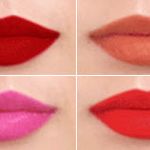
In case you haven't heard, Sephora Virtual Artist just launched and allows you to try on, no joke, THOUSANDS of lip shades from anywhere. It's super easy to use and pretty addicting once you start swatching because you can compare multiple shades and even share your favorites. Best part is you're trying on TONS of shades without having to clean off all the pigment in between swatches 🙂
Here's how to use Sephora Virtual Artist:
Oh and, of course, feel free to share your favorite lip shades here on BeautyTalk. You wouldn't buy a lipstick without asking your community first if it looked fierce, right? Didn't think so 😉
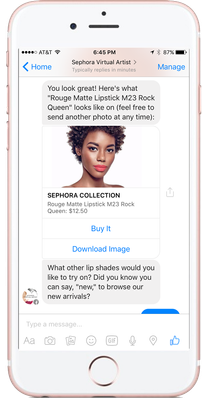
EDIT 7/14/2016: We have an exciting announcement about Sephora Virtual Artist! You can now try on lip shades through Messenger!
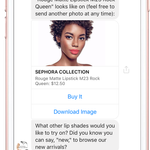
Here's how to use Sephora Virtual Artist from Messenger:
Fun Tid Bits/Hacks:
I tried it out last night and it turned into hours of fun (I'm ashamed to say).
Is there a way to look up certain brands and shades? Besides just clicking the colors hoping to find the brand and shade you are looking for?
Yes... where it says "See All Products" you should be able to see a little circle on the side with an arrow inside it... click that little circle and a drop-down lets you filter results... good luck 🙂
This is a great tool. I uploaded my pic and it was fun to play with different shades. I noticed that some of my favorites didn’t look to well on me. And some I would never would considered look gorgeous on.
Well, I love this. It works beautifully. So many lipsticks to try in the store now! Some I would never have considered.
However, the first thing I did was find my go-to lipsticks. The ones I own, love and wear the most and see how they looked virtually.
They didn't look that great, kinda pale and unflattering, although they have better colour in real life.
Anyone else find this to be true?
Are there some technical limitations to this feature that aren't being disclosed?? Just like the pocket contour feature, this one won't access the camera or gallery to upload pictures on my Android device. 😒
Not working on mine either. It probably only works for iDrones, a lot of features are like that. Cheap always wins with Sephora and apps are cheaper to develop on apple products.
Hi @HoneyBrownBunny, sorry to hear it's not working for you. You should be able to use the web version at sephora.com/virtualartist Let me know if you have any luck or find any great shades!
Hi @marielgc10, you should be able to use the web version at sephora.com/virualartist Sorry to hear it wasn't working for you!
I noticed it yesterday and it is really fun. I spent good 15 minutes trying every single Color on myself.
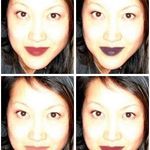
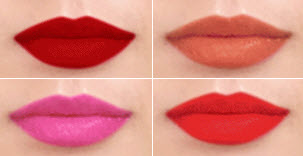
@Katie, Do you by any chance know what is the Color and product used in upper right corner picture.
Thanks Katie! I'll buy it in a heartbeat .
Me Too! Can you share what it is? Reminds me of a plum color of which usu. always look nice on me, most wear plums well I would think.
Maybe I should know already? I am new so forgive me if I seem clueless at times. This is maybe my 4th post here. I feel a bit shy, suppose I will for awhile.
I was trying to mess with it last night. I was wondering if the pic should be one sans lip product, or doesn't it matter? In all my selfies I have lip color on.
I would go without any lip product just to make sure it doesn't affect the color!
@KatieBT - Is the picture just of your lips or is it a head shot? Yea, trying lipstick on a close-up of your lips can help, but you've got to see your entire face to really know if it's right (or wrong). At least I do!